


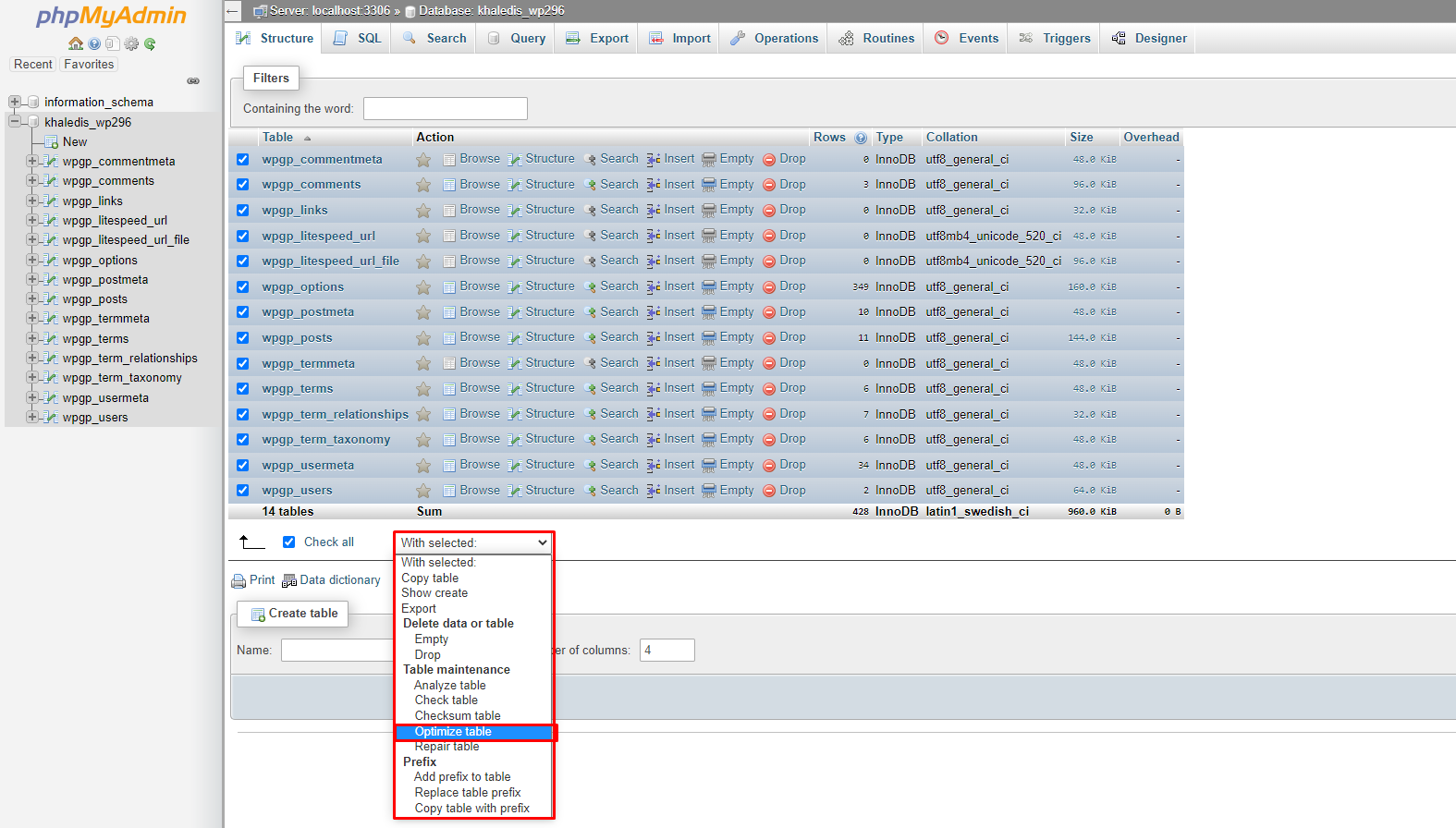
For Optimize Database via phpMyAdmin in cPanel at first :
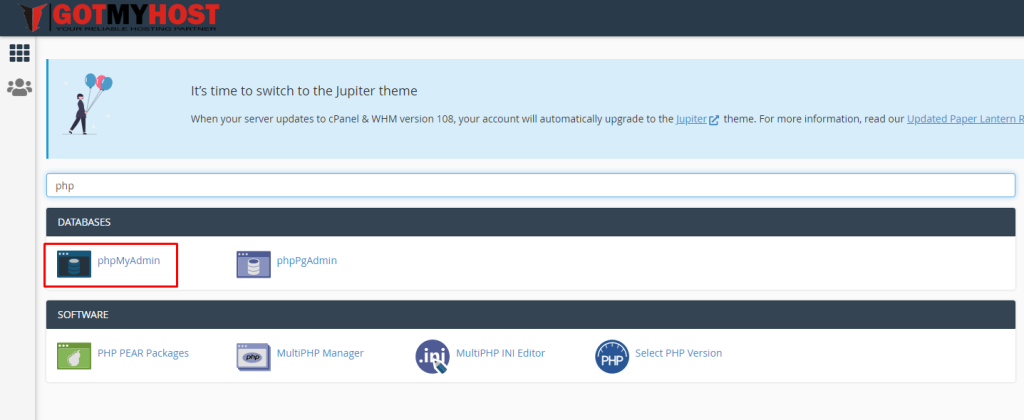
- Log in to your cPanel
- Search phpMyAdmin or click phpMyAdmin from the Data Bases section
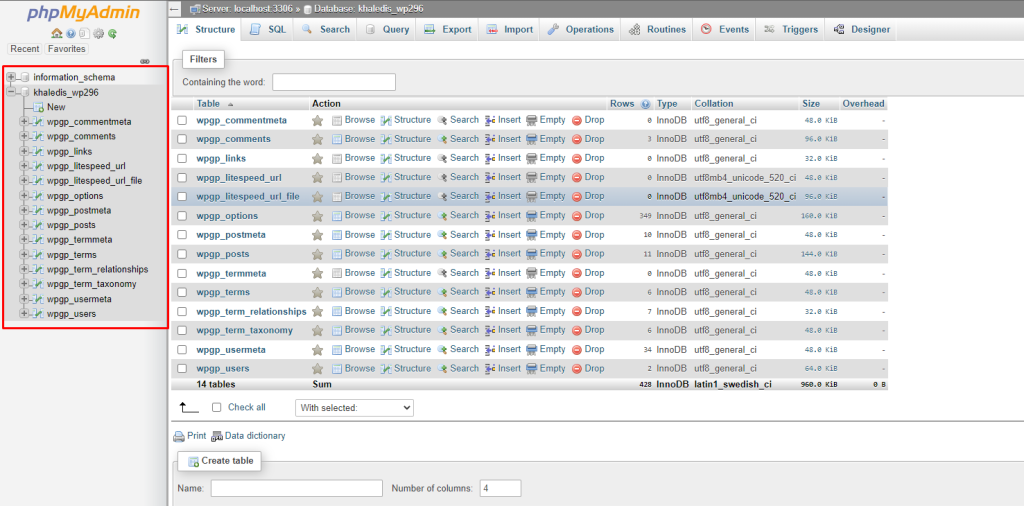
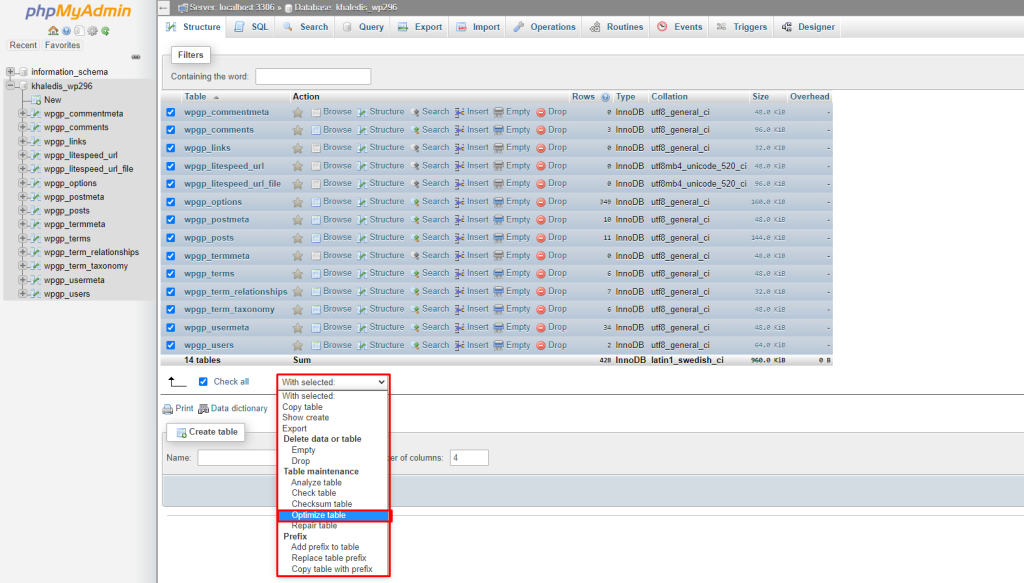
3. Click on the database you want to optimize
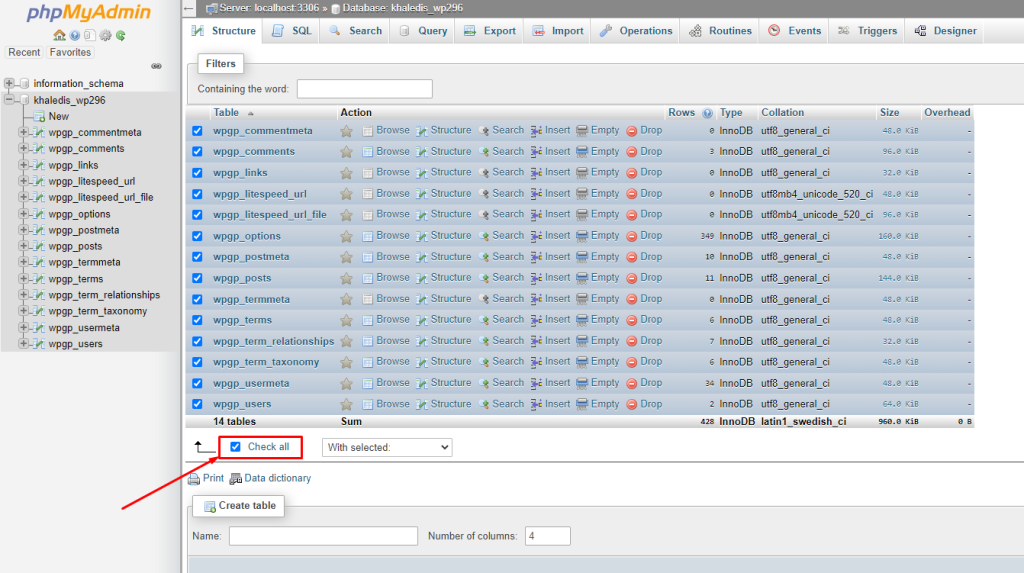
4. Click on Check All
5. Click on the dropdown menu and select Optimize Table
If you face any issues in the process knock our technical team in the live chat. They will assist you. demo.shifathossain.com/.